Rille
A song plays. When was that? Everyone at the table has an opinion, and exactly one of them goes on the timeline.
Rille is a party game about the years music came out. The phone plays a thirty-second clip, and you decide where the song belongs: older or newer than the cards already lying in front of you. That is the whole rule. Name the title and the artist as well and you earn a star – and a star lets you claim that somebody else has just put a card in the wrong place. At the end of every song the answer is there on the table: year, title, artist, cover art, and a link in case somebody wants to buy it there and then.

- Players
- 2 to 6, more in teams – or on your own
- Length
- 20 to 40 minutes a game
- Devices
- One phone is enough for everybody
- Languages
- German, English, French, Spanish, Portuguese, Italian
A tour of the app
Before the rules: this is the app itself – three screens, and it needs no more than that.
The library
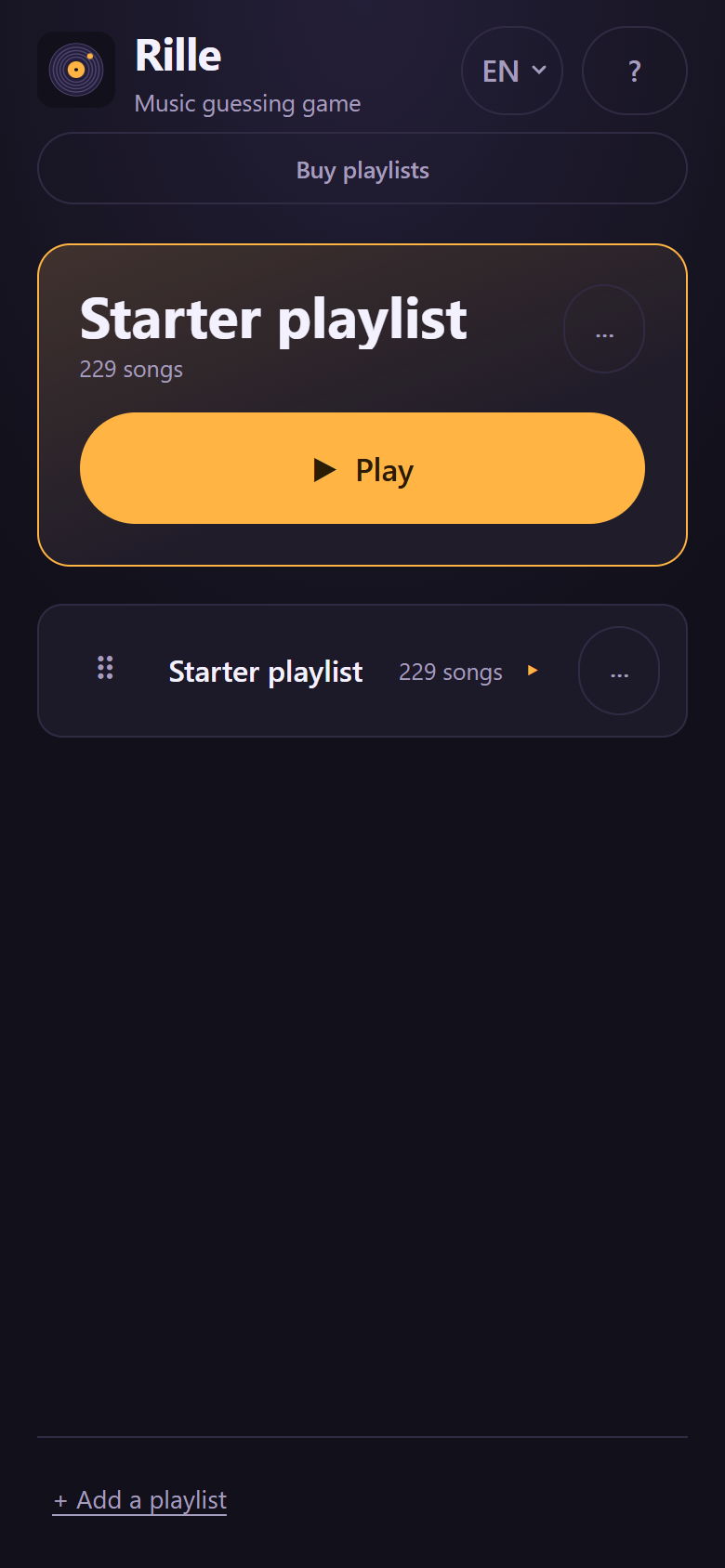
The opening screen is your playlists. The one you played last sits at the very top as a card with a large Play – so the commonest case is one tap away, and there is nothing to hunt for.
The rest sit below as a list. The handle on the left drags them into whatever order you want; the chips above sort them instead by Custom, A–Z, Size or Newest. A playlist's ⋯ menu shows what can be done with it: edit, export as a file, delete.
Bought packs have no delete button, and that is deliberate. They are simply there – there is nothing to throw away by accident and have to restore afterwards.
At the top are the buttons that lead out of the library: Buy playlists, the language switch and a ? with the rules. You can move between the six languages whenever you like, mid-evening included.
Getting more playlists
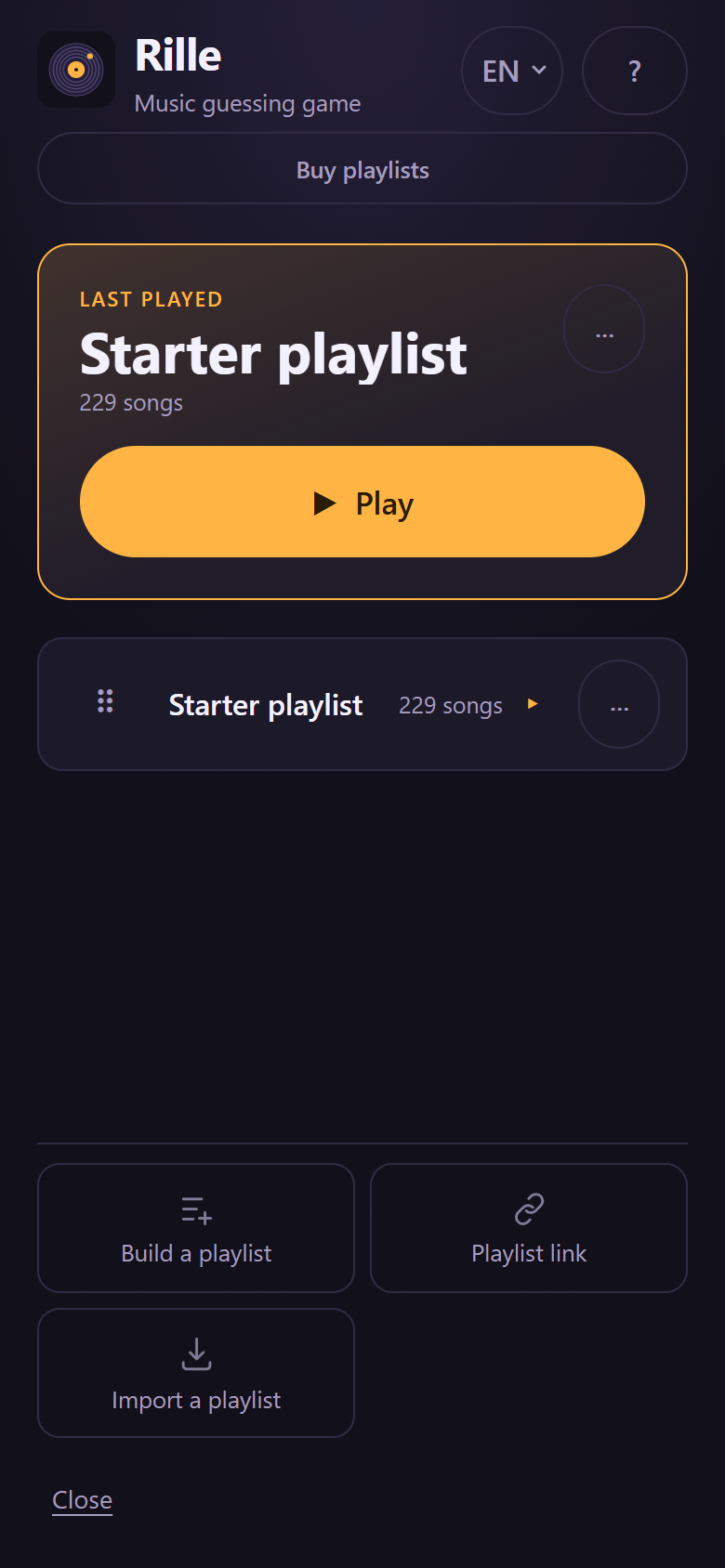
+ Add a playlist opens a panel, and every route sits in it as its own chip:
- Ready-made playlists – the curated packs. Hand-checked years, playable straight away.
- Create a playlist – you describe what you want to hear and the app builds a prompt out of it. You paste that into your own chatbot and paste the answer back. No account, no API key – and no request goes from the app to an AI service.
- Playlist link – paste the address of a public playlist from Deezer, YouTube or Apple Music; the app then looks the songs up at Apple. For Apple Music those are the playlists from the catalogue, the kind you share from inside the app – a list from your own library would need a sign-in and a subscription, and that comes later.
- Import a playlist – a file, or simply one line per song in the form “Artist – Title”.
- Share with others – hand a finished playlist straight to another phone on the same Wi-Fi, with no file and no chat app.
Buying playlists
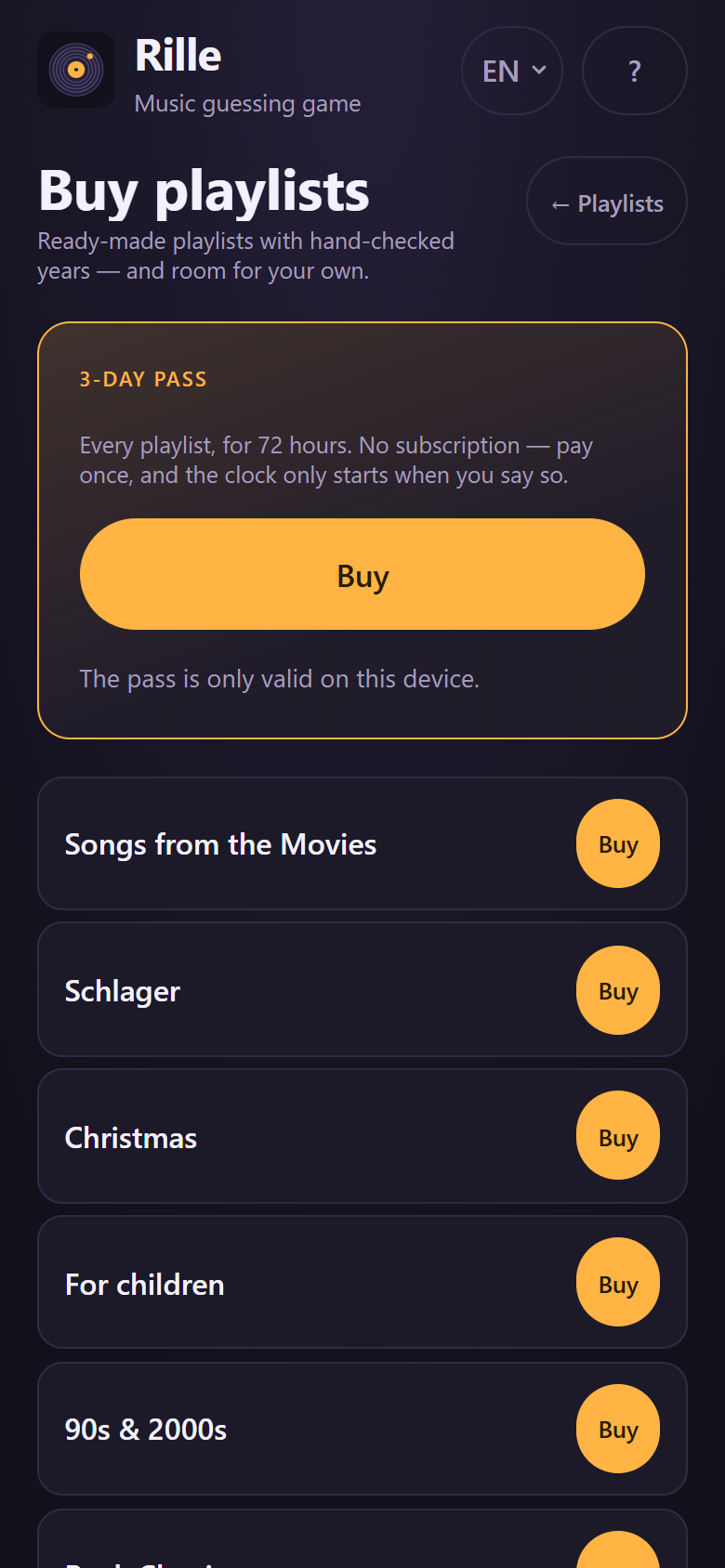
Free, and with no account: the starter playlist, one slot for a playlist of your own, and all four ways to play. That is a whole evening already.
If you want more, it is in the store. Thirteen curated packs – Schlager, film music, Christmas, children's songs, the 90s and 2000s, rock classics, hard rock & metal, German rap, hip-hop, chanson, Italo, Latin and electro – at 2.49 € each. Further slots for your own playlists come singly or in bundles: 1.49 € for one, 2.99 € for three, 3.99 € for five.
And the 3-day pass at 7.99 €: every pack open for 72 hours, and the clock only starts when you say so. No subscription, and nothing renews itself. The pass applies on the device it was bought on.
The other currencies carry the same figures – 2.49, 1.49, 2.99, 3.99 and 7.99 in CHF, USD and GBP as well.
How an evening goes
Timeline is the heart of the game; the other ways to play are variations on it and come further down. A game runs like this:

1. Pick a playlist
The deck that comes with the app holds 229 songs from 1954 to today – across decades and genres, so the timeline really is one. Every year in it has been checked by hand.
You can just as well play with your own music. More on that below.

2. Pick a game mode, put the names in
Two to six players. With seven or more, play in teams – just enter “Anna & Ben” as one name.
This is also where you choose which of the four game modes it will be, and how long the evening should be: five, ten or fifteen cards to win. Ten is about half an hour.
3. Listen and place
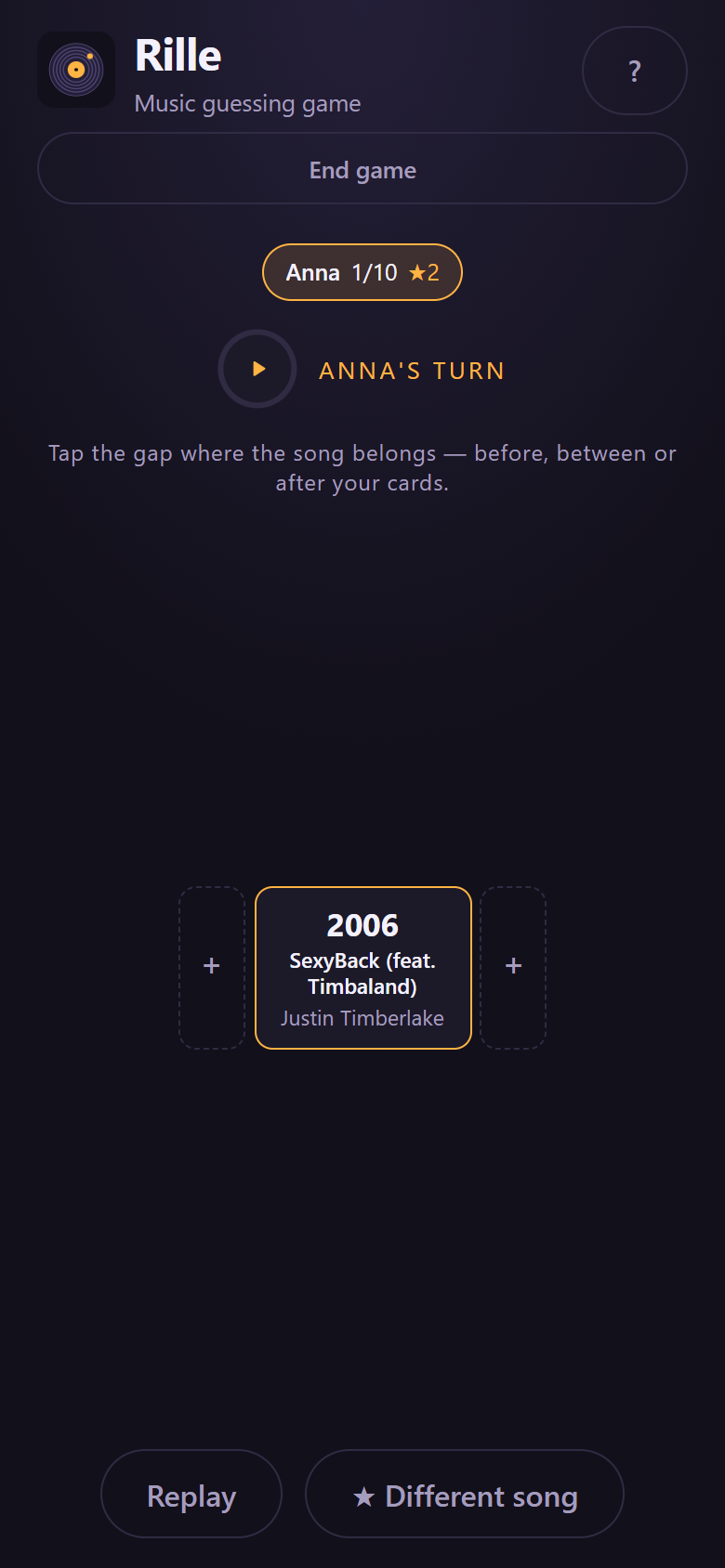
The clip plays, and the phone shows nothing but the cards you have so far and the gaps between them – no title, no cover, no year. Tap the gap where the song belongs.
Hearing it again is possible at any time. And if a song really means nothing to anyone, a star buys a new one. Everybody starts with two stars.

4. Be robbed – then reveal
Before the year comes out, it is the others' turn. Anyone who spends a star may claim the card is in the wrong place – and has to show where it belongs instead, in the timeline of whoever has just played. Several people can bid, each on a different gap.
Only then does the card turn over: year, title, artist, cover art. If the player was right, they take the card and every star staked is burnt. If they were wrong and somebody found the right gap, the card goes there. That order is exactly what makes it loud – while the year is still hidden, stealing is a bet and not arithmetic.
Whoever gets to enough cards first wins – but not on the spot: the round is played out so that everybody has had the same number of turns, and if two players end level, play carries on for another round.
The four game modes
All four use the same playlist and the same clips. What changes is the question being put to the table.
Timeline
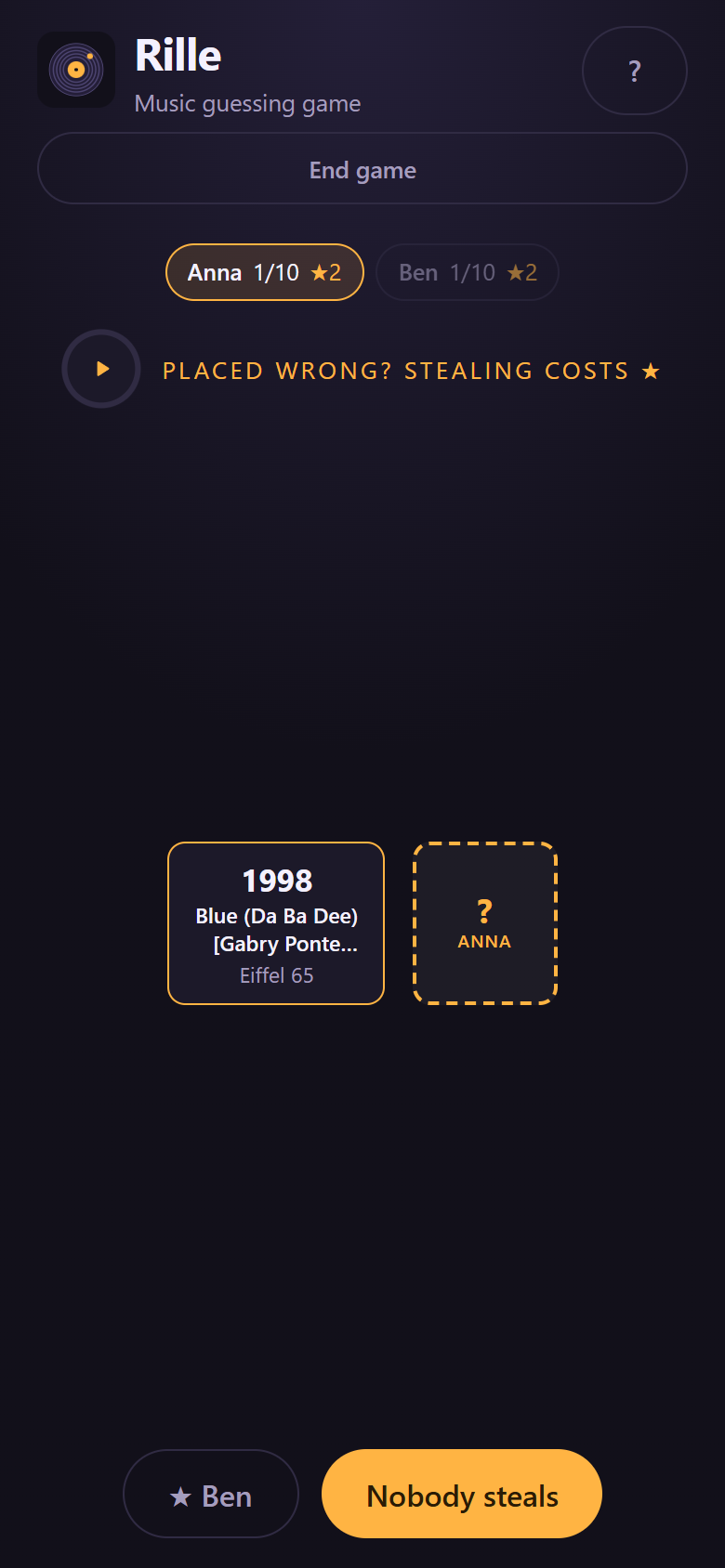
The classic, and the reason the game exists. Everybody builds their own timeline, card by card, and every card makes it harder: there is room for a great many songs between a 1984 card and a 1991 one, but only one of them is the right answer.
Stars, stealing and the decider round all belong here – how that runs is described above. If you have never played before: start here.
Clicks
The same game on a different axis: cards are sorted not by year but by views on YouTube. “Newer than my Nena card” becomes “clicked on more often than my Nena card”, and that is an entirely different kind of knowledge – not when a song came out, but how big it actually became.
The app fetches the numbers when the game starts. The first time with a playlist you built yourself it takes a moment, because the matching video has to be found for each song first; after that it is instant. Songs with no number to be found sit that round out. For tables that already know Timeline.
Quickfire
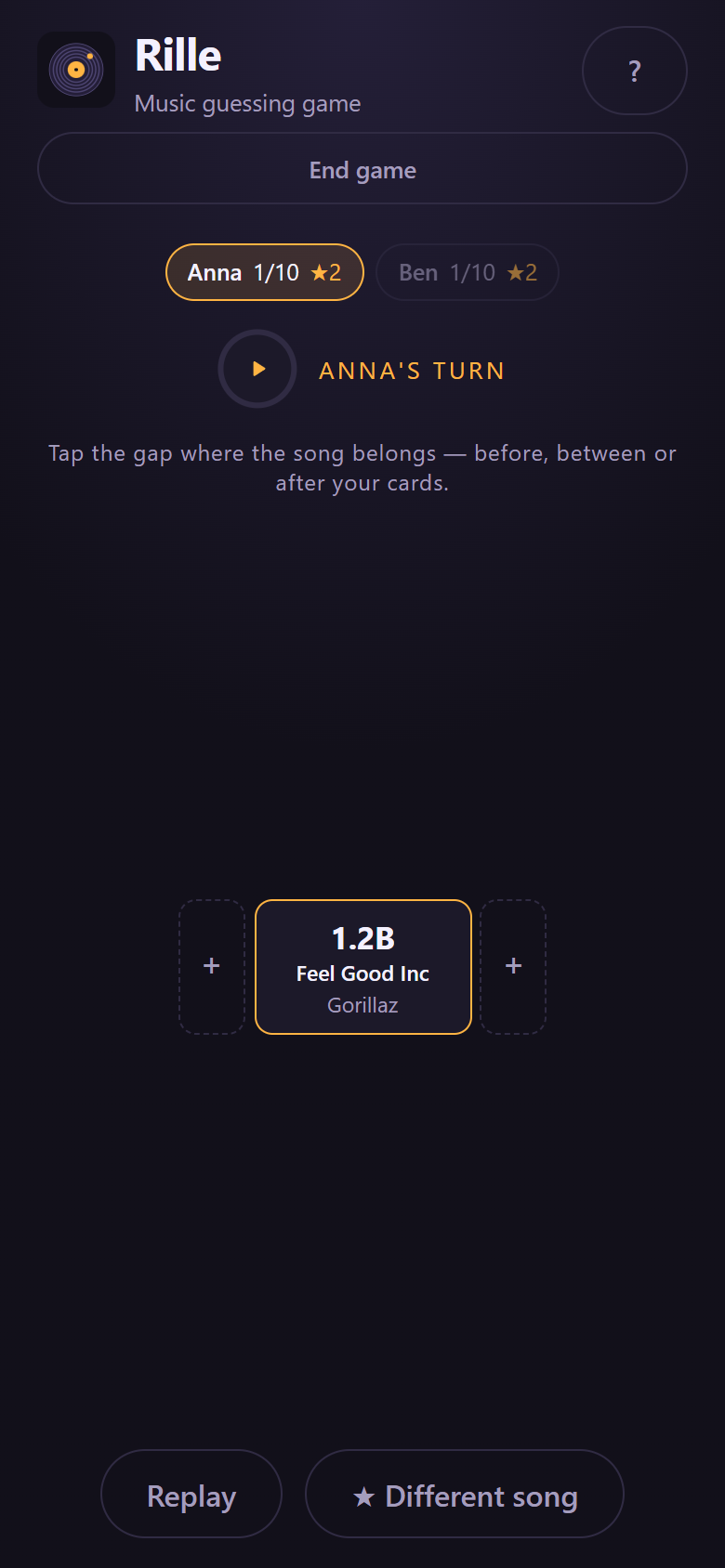
No timeline, no cards. Everybody hears the same song and writes down a year. Points go by how close you were: ten for exact, seven for one year out, four for up to three years, two for up to five. After a fixed number of rounds, the highest total wins.
It is quick and needs no setting up. Good for two and good for a spare half hour – and the game mode that gains the most when everybody is holding their own phone: guesses are then made at the same time and out of sight, instead of one device going round the table.
Solo
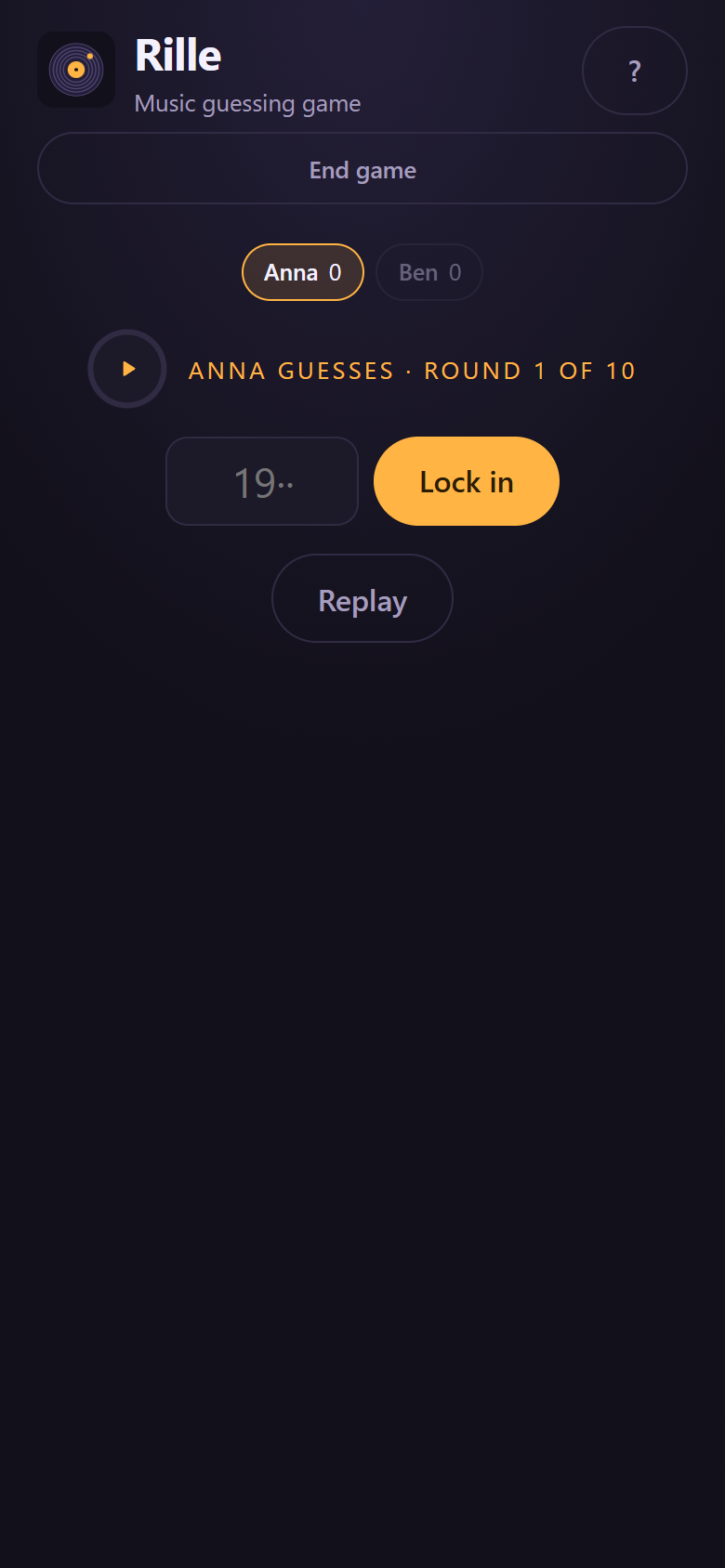
Timeline on your own, against your own best. There is nobody to steal from, so all that counts is how far you get before you place one wrong.
The dry run: if you have just built a playlist, five minutes here tell you whether the songs carry it – before there are guests at the table.
Several phones, one game
One phone in the middle of the table is enough for a whole evening, and that is how the game is meant to be played. If you like, though, you can bring more devices in: the host phone shows a QR code, the others scan it and land in their browser – without anybody having to install anything.
After that everybody has their own cards in front of them, places them from their own device, and can steal from there as well. The year stays hidden throughout: the phones that have joined are only sent what is already on the table anyway. All of it runs straight over the Wi-Fi, with no detour through a server.
With your own music
A guessing game is only as good as its deck, and the best deck is the one everybody can sing along to. So you can build your own playlists:
- Type songs in – title and artist, and Rille finds the rest.
- Paste a playlist link and take the list over.
- Import a file, such as a playlist from another program.
Then comes the step other games leave out: Rille shows you every year it found and lets you disagree, before anyone plays. It sounds like work, and it is the reason nobody at the table has to argue about a wrong year.
Finished playlists can be handed on as a file – or straight to another phone on the same Wi-Fi.
Ready-made decks
If you would rather not build one, take a ready-made deck: Schlager, film music, Christmas, children's songs, the 90s and 2000s. Each of them is checked the same way as the deck that ships with the app – year by year, by hand.
No account, no ads
Rille asks for no registration. Your playlists live on your device, not on a server. There is no advertising, no tracking and no analytics. What the app sends out, and when, is set out in full in the privacy policy – six cases, listed one by one. What you may and may not do with the game is set out in the terms of use.
Questions
Do I need a music subscription?
No. Rille plays short clips through Apple Music's interfaces, with no subscription and no sign-in.
Does it work without internet?
Playing needs a connection, because the clips are streamed. Putting a playlist together happens beforehand – once it is resolved, it is saved.
Why does building a playlist take so long?
Because every song is looked up individually and Apple Music allows about twenty lookups a minute. A large playlist takes its time – but it keeps running in the background, even if you leave the app.
Something is wrong – the year, the song, the video.
Then tell us. Every revealed card in the app has a “Something wrong?” button: one tap, and the message is already filled in with the title, artist, year and where it came from. You see exactly what goes out before you send it.
That covers all three cases – a year that is wrong, a recording that is not the one everybody knows, and in Clicks mode a video that does not belong to the song. Without the button to hand, email info@extra-level-quizzes.com.
Reports like that are genuinely welcome. The years are the real work in this game, and every correction lands in the next update – for everybody.
Getting Rille
Questions, feedback and bugs to info@extra-level-quizzes.com.
The clips come through Apple Music's interfaces. All rights in the recordings remain with their respective owners. Rille is neither affiliated with nor endorsed by Apple, Deezer, Google or the labels.